Sprite Sheet Preflight — Sprite QA Utility
PREFLIGHT TOOLKIT #003 · Version 1.0.0
Find empty cells, exact repeated frames and grid mismatches before sprite-sheet handoff. Supply the intended grid and get an indexed HTML + JSON report showing which cells need review. Click a cell in the report map to see its measurements.
You get the checker, Windows launcher, guides, fixtures and reports. Windows 11 verified; Python 3.12 and Pillow 12.3.0 required. Try the four free reports and sample PNGs before buying; the scanner is in the paid download.
This is a local Python command-line source package. You declare the intended grid; the program checks it and leaves the source unchanged.
What it checks
- PNG and grid: dimensions, supported bit depth, alpha/transparency, chunk checksums and decoding; columns/rows or cell width/height, symmetric outer margins and intercell gaps. Leftover pixels fail instead of being silently cropped.
- Every cell: zero-based index, rectangle, alpha coverage, occupied bounds, transparent borders and exact decoded RGBA hash.
- Review warnings: fully transparent cells, exact nonempty repeats, near-empty cells, changing bounds, edge contact and occupied gaps.
- Explicit requirements: forbid empty/repeated cells or require a minimum transparent inner border. Intentional animation holds and empty cells remain warnings by default.
Usage
python sprite_preflight.py "hero.png" --cols 8 --rows 4 --output "new-report"
Alternatively use --frame-width 64 --frame-height 64. Do not mix grid modes. Use --help for margins, spacing and policies. The output directory must be new and its parent must already exist.
Example delivery rule: six 16×16 cells, all nonempty and distinct, with a two-pixel inner border:
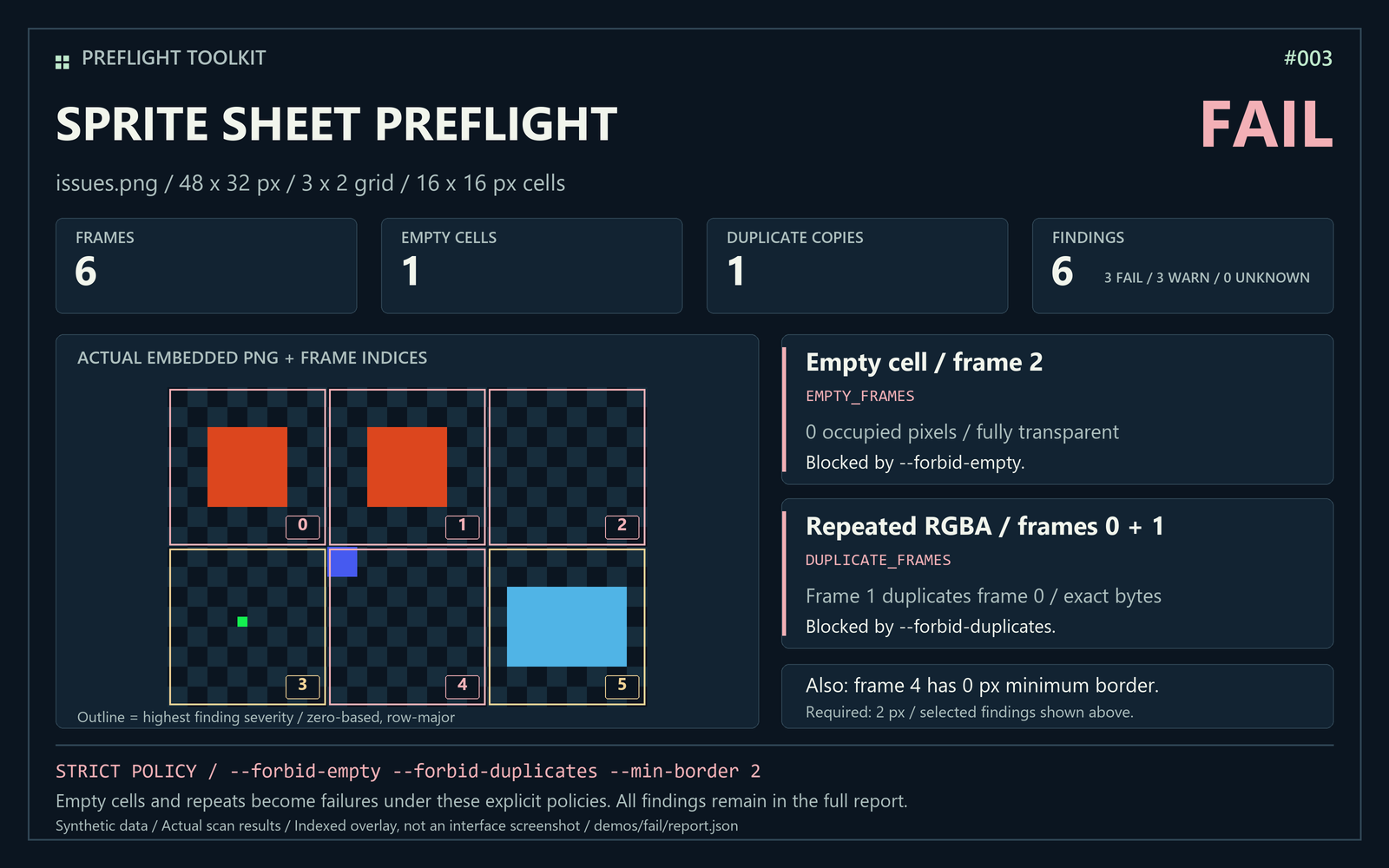
python sprite_preflight.py "fixtures/issues.png" --cols 3 --rows 2 --forbid-empty --forbid-duplicates --min-border 2 --output "strict-report"
This deliberately problematic example returns FAIL. Without those strict requirements, the same image returns WARN. Exit codes: 0 PASS/WARN, 1 FAIL or WARN with --fail-on-warn, 2 UNKNOWN/incomplete or an argument, dependency or I/O error.
Example results and free sample
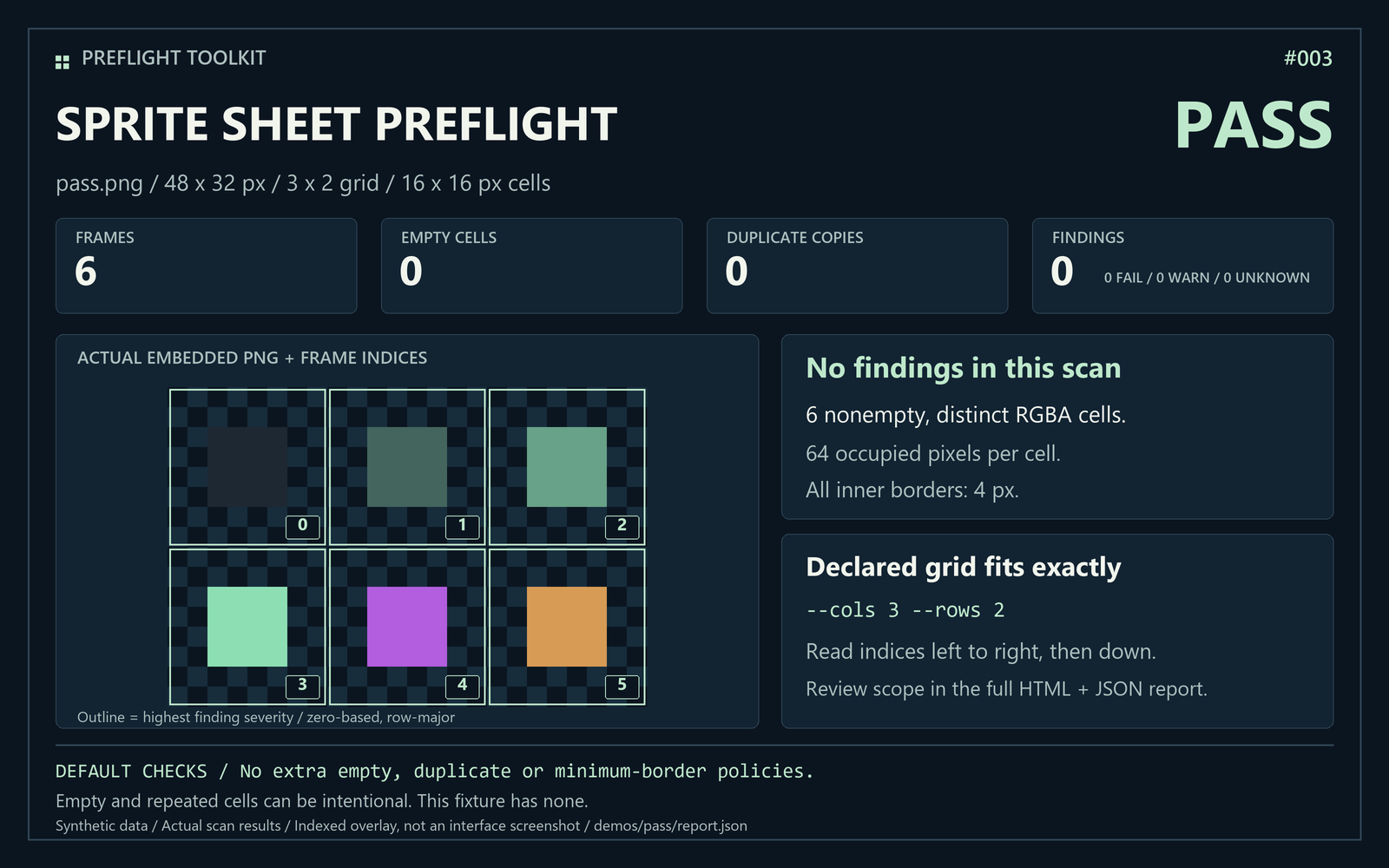
The clean synthetic sheet has 6 cells, no findings. The issue sheet has 1 empty cell and 1 additional exact duplicate; the strict example produces 3 FAIL and 3 WARN findings. A separate uneven-grid example shows leftover pixels.
The free sample contains four HTML reports, four JSON reports and three original synthetic PNGs, with no scanner. Gallery images show actual measured demo results, not engine screenshots.
What you get
Source CLI, Windows launcher, README, install guide, quickstart, original fixtures, automated tests and complete demo reports. Optional --extract writes all cells as numbered PNGs into a new report folder. It preserves decoded RGBA pixels, including empty and repeated cells; it does not trim, repair or overwrite the source.
Requirements and verification
Python 3.12 + Pillow 12.3.0 required. Manual install instructions included. This is not a standalone EXE or an editor plugin.
Verified on Windows 11 / Python 3.12.14 / Pillow 12.3.0: 54 tests, 53 passed, one skipped because Windows denied real symlink creation. A fresh ZIP extraction passed the suite, four demos and Windows launcher checks. A fresh internet dependency installation was not tested. Linux and macOS are unverified.
Limitations
Static PNG only, up to 8-bit depth. APNG, 16-bit PNG, unsupported formats and inspection limits produce UNKNOWN. Limits: 64 MiB encoded input, 16 million pixels and 4096 cells. Exact RGBA duplicates are not perceptual similarity; hidden RGB bytes matter. Bounds can vary intentionally with movement.
No automatic grid detection, irregular-atlas metadata, animation timing, pivot correction, image editing or guaranteed Godot/Unity import and rendering. A divisible but unintended grid cannot be inferred. The report preview is scaled; exact coordinates remain in the table.
Privacy and license
Scanning uses local files: no uploads, accounts, telemetry, backend or paid API. Installing Pillow separately may use the internet. Reports embed a preview of your sheet, so share them as deliberately as the original image.
Original code is MIT licensed; Pillow is installed separately under its own license. AI assistance is disclosed for code, text and graphics. Reproducible bugs on the documented setup can be reported in comments without sharing private assets.
More PREFLIGHT tools
UDIM Preflight checks declared texture tile sets. Game Asset Preflight checks exported model folders and external texture references.
Need all three workflows? See the current PREFLIGHT TOOLKIT bundle offer. Individual tools remain available separately.
Purchase
In order to download this tool you must purchase it at or above the minimum price of $5 USD. You will get access to the following files:
Download demo
Leave a comment
Log in with itch.io to leave a comment.